A single source that connects to your AI tools.
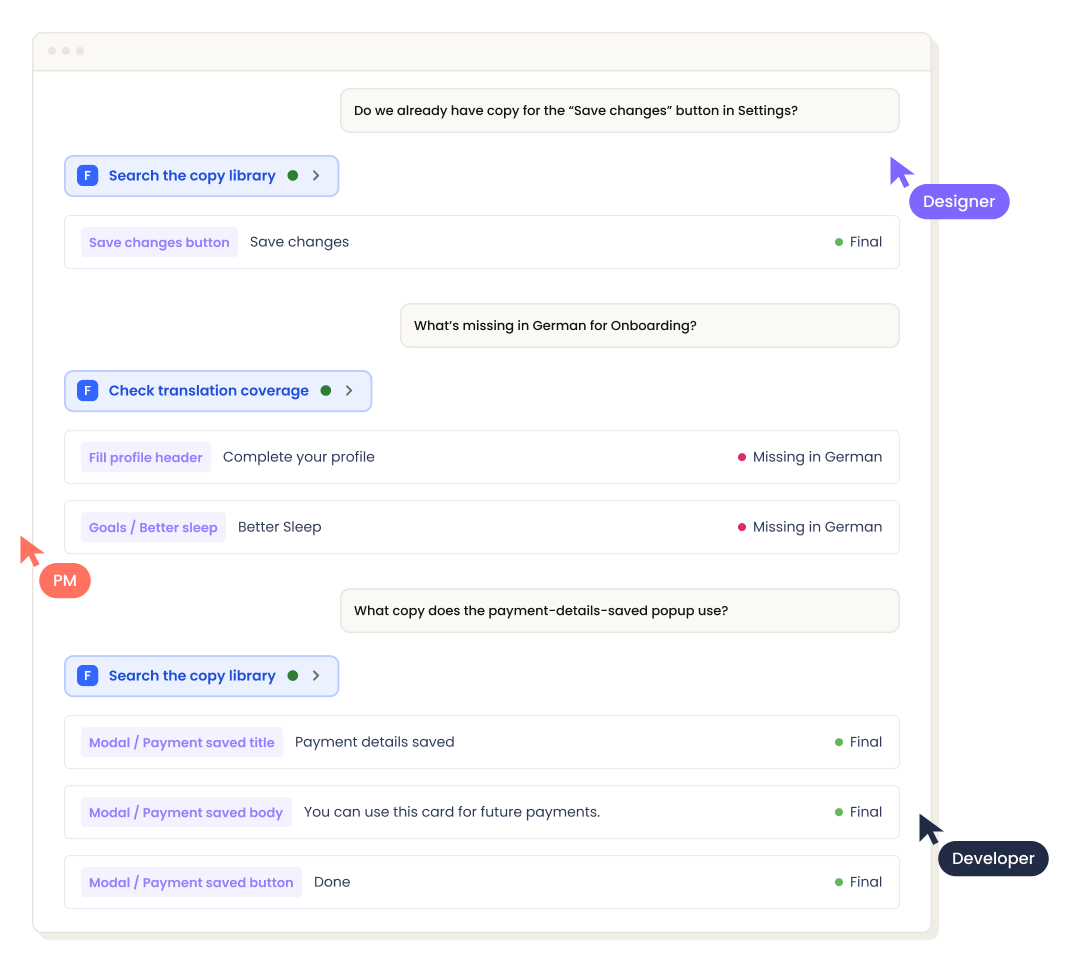

Your AI writes fine. It doesn’t write like your product.
It's fast, fluent, but generic — so you have to rewrite it, and the time you saved goes back into editing. The Frontitude MCP integration finally solves this.
Connect AI tools with your content decisions
Frontitude keeps your approved content, guidelines, and decision history in one place. Connect it once, and every AI tool your team uses writes from that same source — instead of reinventing your product's words.
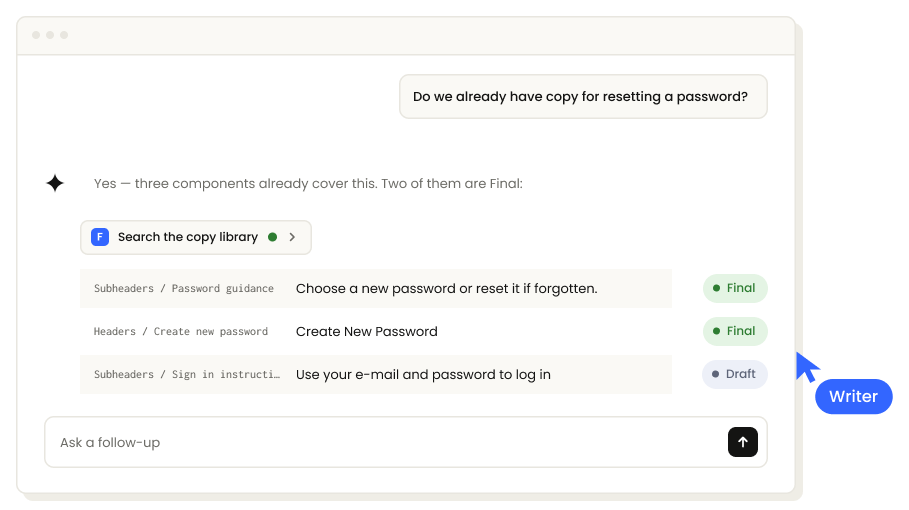
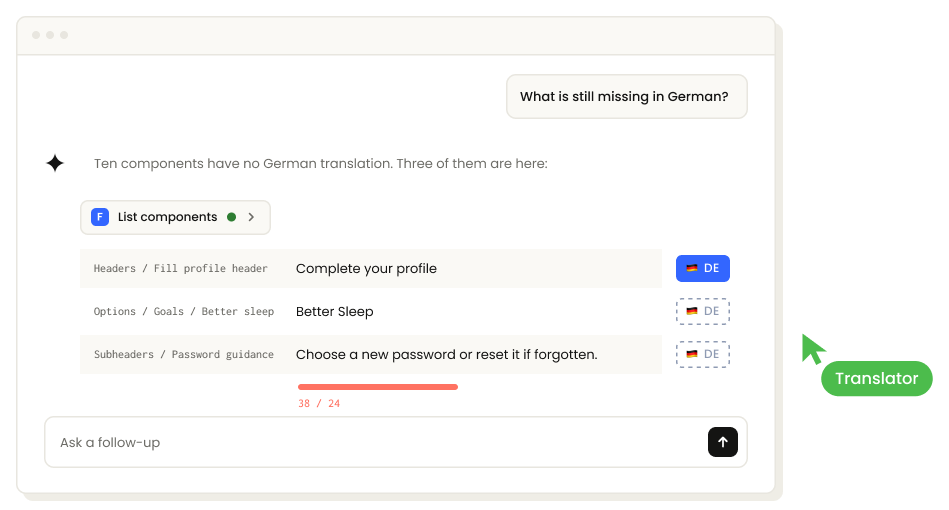
Automate content workflows with AI tools and Frontitude
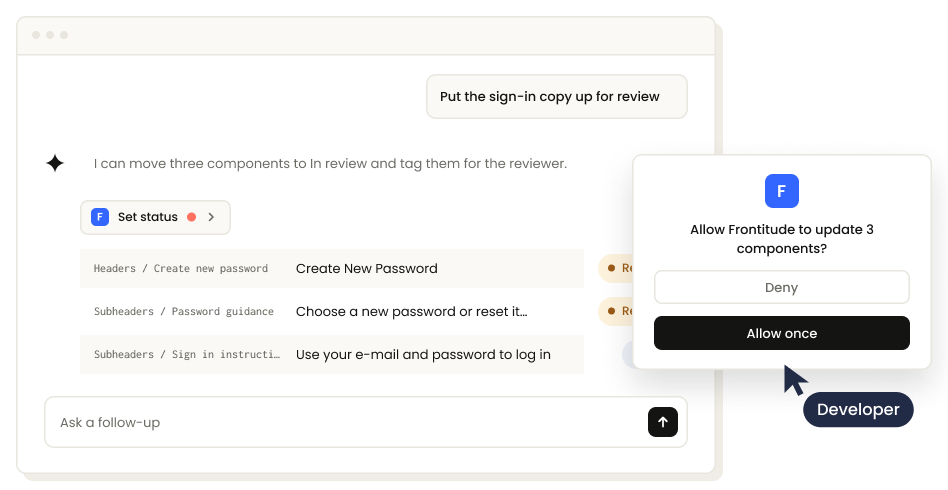
Use your AI tools to hand off content for review, audit it against guidelines, translate it, implement it in the codebase, and more — without even opening Frontitude.
Secure connection, every change tracked
The MCP integration inherits each teammate's existing access to Frontitude, so there's no extra setup. Every change an AI tool makes is attributed to the person behind it, so nothing goes untracked.

Set it up once. Your whole team writes from it.

FAQ
Frontitude's MCP server connects AI tools — Claude, ChatGPT, Cursor and others — to a team's Frontitude workspace, so an agent can search approved content, see the character limits, check translation coverage, and write changes back. It uses the Model Context Protocol, the standard way an AI tool connects to another product. Visit our docs to learn more about it.
Exactly what you can see — the same projects and the same library, with the same view or edit access you have. Not your billing, not your teammates. If you were never invited to a project, neither was your agent.
Yes. Anything your agent reads goes to whoever runs your AI tool, the same as anything else you type into it. Connect the tools you would be happy showing your copy library to.
Only if you let it. Leave your AI tool's confirmation prompts on and you approve every write before it runs — you can also limit a connection to the tools it needs, including read-only. And yes: your agent's changes join the same history as the ones you make by hand, and both carry your name.
Yes — one switch for the whole workspace, and every connected agent stops immediately. The connections are kept, so they start working again if you switch it back on.
No. You can point your AI tool at the content and have it create the library for you — it creates components and categories directly. You can also sync from Figma, or import a spreadsheet. Whichever way you start, you are not blocked on a migration before you get value.
A few minutes. Copy the setup instructions from settings, paste them to your AI tool, and sign in. No API key and no config file to edit.
Claude, ChatGPT, Cursor, Claude Code, VS Code, Codex and Gemini CLI, plus anything else that supports MCP — you paste the same address for all. To keep it simple, we allow you to paste agent-specific instructions from your Frontitude AI settings page.
A style guide tells an agent how to sound. It cannot tell it that this button is twenty-four characters in German, that the string is already live in eleven locales, or that legal approved this exact wording last quarter. Frontitude gives the agent the approved copy, translations, guidelines, and other data related to your past content decisions you've taken.
Each connection carries one person's own access and nothing more, every change is recorded under their name, and an admin can stop every agent in the workspace with one switch.
One person with access to the Frontitude workspace — there's no IT project, no API key to provision and no config file to deploy. And you can start with one team: each person connects their own tools, so adoption is per-person by default, and the workspace main switch decides whether anyone can connect at all.